
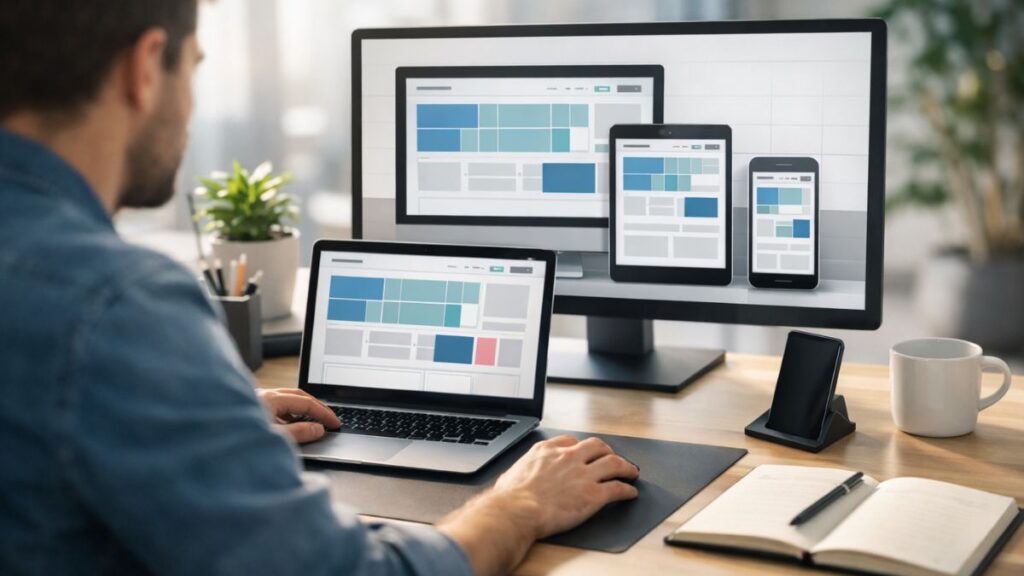
If you’ve been exploring modern web design trends, you may have come across the term pxless. It’s gaining traction among developers and designers who want more flexibility, scalability, and responsiveness in their projects.
Simply put, pxless refers to a design approach that avoids fixed pixel (px) units and instead relies on scalable units like em, rem, %, and vw/vh. This shift allows layouts to adapt seamlessly across devices without rigid constraints.
As responsive design becomes the standard, understanding how pxless works can give you a serious edge. In this guide, we’ll break down what it means, why it matters, and how to implement it effectively.
What Is Pxless?
Pxless is a design philosophy that eliminates or minimizes the use of fixed pixel units in favor of flexible, relative units.
Key Definition
Pxless design is a web development approach that replaces fixed pixel-based measurements with scalable units to create responsive, adaptable layouts across different screen sizes.
Why Move Away from Pixels?
Pixels are absolute. That means:
-
They don’t scale well across devices
-
They can break layouts on smaller screens
-
They limit accessibility for users who adjust font sizes
In contrast, pxless design embraces flexibility.
Pxless vs Pixel-Based Design
To fully understand pxless, it helps to compare it with traditional methods.
Core Differences Table
| Feature | Pixel-Based Design | Pxless Design |
|---|---|---|
| Units Used | px | em, rem, %, vw, vh |
| Responsiveness | Limited | Highly responsive |
| Accessibility | Lower | Higher |
| Scalability | Fixed | Fluid |
| Maintenance | Harder to adjust | Easier to scale globally |
Real-World Example
-
Pixel-based:
font-size: 16px; -
Pxless:
font-size: 1rem;
The second version scales based on the root font size, making it more adaptable.
Araachell Explained: Meaning, Origins, and Why the Internet Is Talking About It
Why Pxless Design Matters in 2026
Modern users access websites from a wide range of devices. From ultra-wide monitors to compact smartphones, fixed layouts simply don’t cut it anymore.
Key Benefits
1. Better Responsiveness
Layouts automatically adjust without excessive media queries.
2. Improved Accessibility
Users can zoom or change font sizes without breaking the layout.
3. Faster Development
Reusable, scalable components reduce redesign time.
4. Future-Proof Design
New devices won’t require complete redesigns.
Core Units Used in Pxless Design
To go pxless, you need to understand alternative units.
Common Units Explained
| Unit | Description | Best Use Case |
|---|---|---|
| rem | Relative to root font size | Typography, spacing |
| em | Relative to parent element | Nested components |
| % | Relative to parent size | Layout widths |
| vw | Viewport width | Full-width elements |
| vh | Viewport height | Hero sections |
Quick Tip
Use rem for consistency and em for localized scaling.
How to Implement Pxless in Your Projects
Transitioning to pxless doesn’t have to be overwhelming. Start small and scale gradually.
Step-by-Step Approach
1. Set a Base Font Size
font-size: 16px;
}
2. Convert Pixels to REM
-
16px = 1rem
-
24px = 1.5rem
-
32px = 2rem
3. Use Flexible Layouts
Replace fixed widths:
max-width: 1200px;
4. Leverage Viewport Units
5. Avoid Fixed Heights
Let content define height naturally.
Pxless Design Strategy Framework
To make implementation easier, follow this structured framework.
Pxless Strategy Table
| Step | Action | Outcome |
|---|---|---|
| Foundation | Set root font size | Consistent scaling |
| Typography | Use rem units | Accessible text sizing |
| Layout | Use % and vw/vh | Fluid structure |
| Components | Use em for nested elements | Flexible modules |
| Testing | Check across devices | Reliable responsiveness |
Practical Examples of Pxless in Action
Example 1: Responsive Typography
font-size: 2.5rem;
}
This ensures headings scale across devices.
Example 2: Flexible Container
width: 90%;
max-width: 1200px;
margin: 0 auto;
}
Example 3: Adaptive Spacing
Spacing adjusts with font size changes.
Pros and Cons of Pxless Design
Pros
-
Highly responsive layouts
-
Improved accessibility
-
Easier scalability
-
Cleaner, modern codebase
Cons
-
Learning curve for beginners
-
Requires careful planning
-
Some legacy systems rely on pixels
Common Mistakes to Avoid
Even experienced developers can run into issues when switching to pxless.
1. Mixing Too Many Units
Stick to a consistent system (e.g., rem + %).
2. Ignoring Root Font Size
Everything depends on it—set it properly.
3. Overusing em
It can compound and create unexpected scaling.
4. Forgetting Testing
Always test across devices and browsers.
Best Practices for Pxless Design
Keep It Simple
Start with rem and percentages before adding complexity.
Use a Design System
Define spacing, typography, and layout rules early.
Maintain Consistency
Avoid switching between px and relative units randomly.
Test Accessibility
Ensure zoom and text resizing work smoothly.
Optimize Performance
Cleaner CSS improves load times and maintainability.
When Should You Use Pxless?
Pxless is ideal for:
-
Responsive websites
-
SaaS dashboards
-
Mobile-first designs
-
Accessibility-focused platforms
However, pixel units may still be useful for:
-
Borders
-
Hairline elements
-
Precise UI details
Conclusion
Pxless is more than just a trend—it’s a shift toward smarter, more adaptable web design. By moving away from rigid pixel values, you unlock a more responsive, accessible, and future-ready approach.
Whether you’re building a simple landing page or a complex web application, adopting pxless principles can significantly improve user experience and development efficiency.
Start small, stay consistent, and you’ll quickly see the benefits.
FAQs
1. What does pxless mean in web design?
Pxless refers to avoiding pixel units and using scalable units like rem, em, and percentages.
2. Is pxless better than using pixels?
Yes, for responsiveness and accessibility. However, pixels still have limited use cases.
3. What units replace pixels in pxless design?
Common alternatives include rem, em, %, vw, and vh.
4. Can beginners use pxless design?
Absolutely. Start with rem units and gradually expand your approach.
5. Does pxless improve SEO?
Indirectly, yes. Better responsiveness and user experience can boost search rankings.